











 ● 20 min read
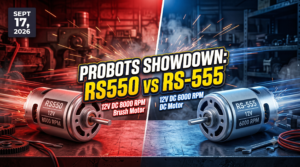
Showdown: RS550 12V DC 8000 vs RS-555 12V DC 6000 RPM DC Motor
Vol. 56 | The Heavyweight DC Drivetrain Duel Reliability isn’t optional when you’re designing actuators that need to move actual steel or
Read Article →
| Bulk Pricing | ||
|---|---|---|
| QTY | Unit Price(Inlc. GST) | |
| 25+ | ₹489.02 ₹ 414.42 + 74.6 GST | |
| 50+ | ₹484.03 ₹ 410.19 + 73.83 GST | |
| 75+ | ₹479.04 ₹ 405.97 + 73.07 GST | |
| 100+ | ₹469.06 ₹ 397.51 + 71.55 GST | |
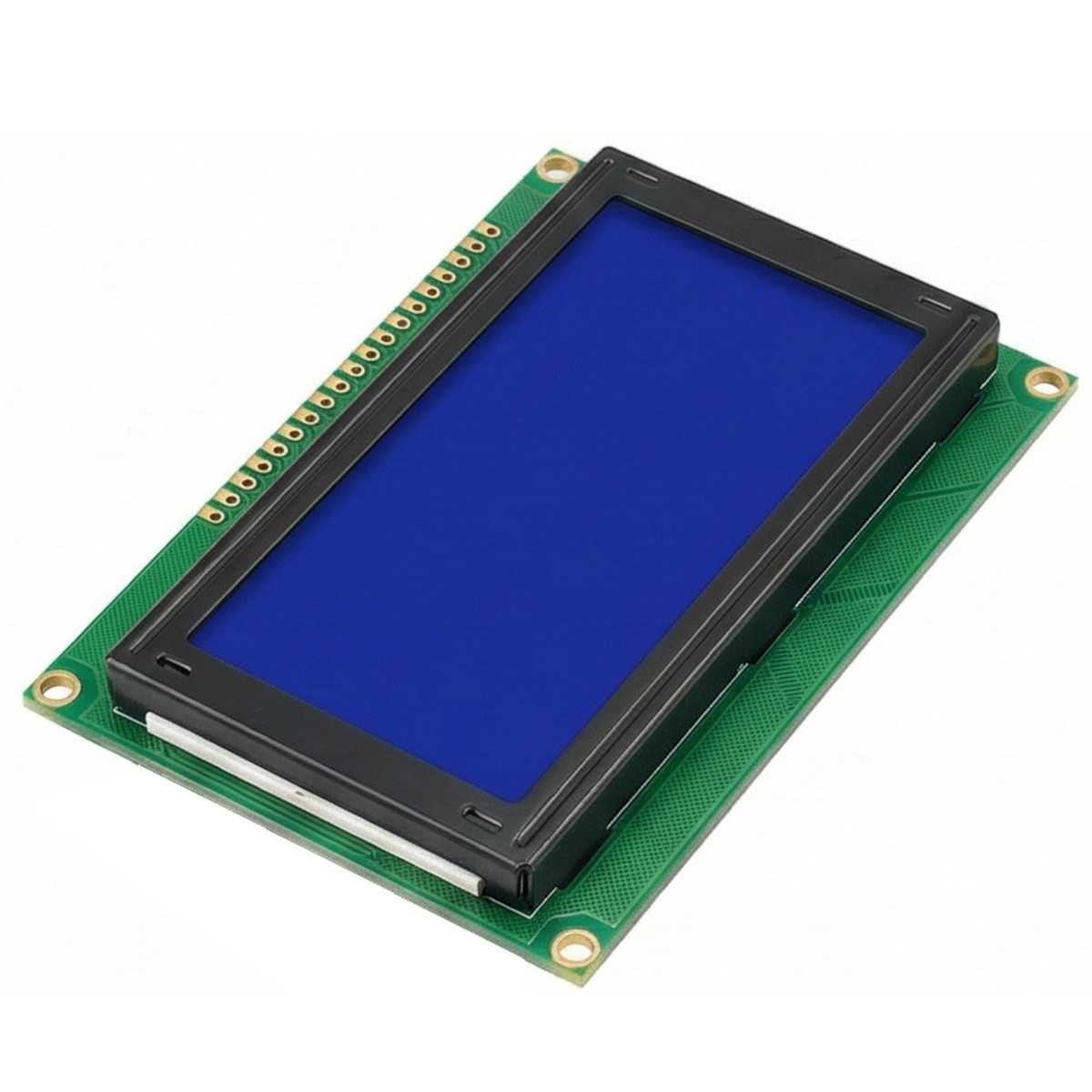
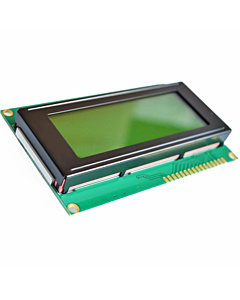
Add a spacious, easy-to-read user interface to your next project with this 2004A character LCD. Displays up to 80 characters (20 columns x 4 rows) with crisp white text on a bright blue backlight. Features a standard 16-pin parallel interface compatible with Arduino and Raspberry Pi.
Massive 80-Character Readout When a standard 16x2 LCD just isn't big enough to show all your sensor data, the 2004A Module is the perfect step up. It features an expanded grid capable of displaying 20 characters across 4 distinct rows, giving you a total of 80 characters on a single screen. This is ideal for building complex, multi-line user menus, displaying readouts from multiple temperature sensors simultaneously, or building a custom digital clock with date and weather info.
High-Visibility Blue Backlight Readability is crucial for user interfaces. This module features a vibrant, uniform blue LED backlight. When powered on, the liquid crystal blocks the light to form crisp, high-contrast white text. The backlight is easily powered via pins 15 (BLA - Anode) and 16 (BLK - Cathode) located at the end of the connection header, allowing you to control the backlight brightness via a standard PWM pin on your microcontroller.
Industry Standard Integration Flipping the board over reveals the model number 2004A V1.5. This board utilizes an HD44780-compatible display controller, which is the undisputed industry standard for character LCDs. The 16 clearly labeled copper pads across the top mean it integrates flawlessly with the built-in LiquidCrystal.h library included in the Arduino IDE. You can be up and running with a "Hello World" display in less than five minutes.
Model: 2004A V1.5
Display Format: 20 Characters x 4 Lines
Controller Type: HD44780 Equivalent
Operating Voltage (VDD): 5V DC
Backlight Type: LED (Blue)
Text Color: White
Interface: 16-Pin Parallel (Supports 4-bit and 8-bit modes)
Contrast Adjustment: External Potentiometer via V0 Pin
3D Printer Controllers: Functioning as the primary local readout screen for RAMPS-based DIY 3D printers, displaying temperatures, print times, and coordinate menus.
Environmental Monitors: Displaying indoor/outdoor temperatures, humidity, and air quality metrics concurrently on four separate lines.
Audio Receivers: Building a custom digital radio receiver that displays the current station, song title, volume, and EQ settings.
Unlock New Capabilities (Project Evolution)
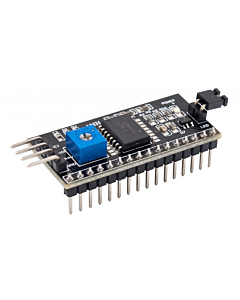
The I2C Backpack Upgrade: Wiring up a standard LCD requires at least 6 digital pins on your Arduino, which can quickly eat up your available connections. Evolve your build! Purchase a cheap "I2C LCD Backpack Module" and solder it directly to the 16-pin header on the back of this display. This single upgrade transforms the complicated parallel interface into an I2C interface, allowing you to control this massive 80-character screen using only 4 wires (VCC, GND, SDA, SCL)!
Package Includes:
1 x LCD2004 20x4 Character Display Module (Blue Backlight) (Note: The 16-pin header holes are bare copper pads. You will need to solder your own 2.54mm pitch male header pins or wires to connect it to a breadboard.)
What does "LCD2004" mean? The numbers represent the character grid. "20" means it displays 20 characters per line, and "04" means it has 4 individual lines.
What voltage does this display require? The logic and the backlight are designed to operate safely on 5V DC.
Is this compatible with Arduino? Yes, it is 100% compatible. You can use the standard LiquidCrystal.h library that comes pre-installed in the Arduino IDE.
How many pins are on the board? There are 16 numbered connection pads along the top edge of the PCB.
What are the black circles on the back of the board? Those are "Chip-on-Board" (COB) epoxy domes. They protect the delicate silicon microchips that control the display matrix.
I wired it up, but my screen is just blank blue. What is wrong? You must wire a 10K Ohm potentiometer to the "V0" pin to adjust the contrast. If the contrast is too low, the screen will appear totally blank.
I wired it up, but my screen is just showing solid white blocks. What is wrong? This means the screen has power, but the contrast is turned up too high, or it is not receiving data from the Arduino. Adjust your potentiometer on the V0 pin until the blocks fade into characters.
Do I have to use all 16 pins to make it work? No. To save pins, you can operate it in "4-bit mode." This requires wiring only 6 pins to your Arduino (RS, E, D4, D5, D6, D7), plus power and ground.
What do the BLA and BLK pins do? BLA stands for Backlight Anode (+5V), and BLK stands for Backlight Cathode (Ground). They supply power to the blue LEDs behind the screen.
What is the VDD pin? VDD is the main 5V power input for the display's internal logic chip.
Can I change the backlight color? No, the internal LEDs are permanently manufactured to be blue.
Are the header pins pre-soldered? Generally, no. They arrive with bare copper through-holes. You will need to solder your own header strip to plug it into a breadboard.
Can I display custom shapes or characters? Yes! The HD44780 controller allows you to create and store up to 8 custom 5x8 pixel characters in its CGRAM (such as battery icons, smiley faces, or custom loading bars).
Will this work with a 3.3V Raspberry Pi? The display requires 5V to power the screen and backlight. However, it can often read 3.3V logic signals from a Raspberry Pi on the data pins. For long-term safety, using a logic level shifter is recommended.
What is an I2C Backpack? It is a small add-on board that solders onto the 16 pins on the back. It converts the complex parallel wiring into a simple 4-wire I2C connection.
Why does the back say 2004A V1.5? That is the manufacturer's specific model and PCB revision number for this batch of screens.
What is the RW pin? RW stands for Read/Write. Because you almost always only write data to the LCD, this pin is typically just wired straight to Ground.
Can I turn the backlight off using code? Yes. Instead of wiring the BLA pin straight to 5V, you can wire it to a digital pin on your Arduino (through a small transistor if drawing too much current) to turn the light on and off via code.
Can it display different languages? The standard ROM contains standard English ASCII characters and some Japanese Kana characters. It cannot natively display complex fonts like Arabic or Chinese without custom character programming.
Is the screen fragile? The front consists of a thin glass pane. While durable enough for standard desktop use, it will crack if dropped or pressed too firmly in the center. Handle the edges of the PCB during installation.
| Display Technology | Character / Graphic LCD (Monochrome) |
|---|---|
| Touch Capability | Non-Touch |
| Communication Interface | I2C |
| Smart / Integrated Ecosystem | Standard Display (Requires external MCU) |
| Screen Size (Diagonal) | Small (1.5 - 3.4 Inch) |
Probots sells every Electronics Part for your next Project. You can order 10,000+ Electronic Parts Online - Arduino, Raspberry Pi, NodeMCU Development Boards, Sensors, Motors, Motor Drivers, SMPS, Plastic Enclosures etc in India directly on probots.co.in
We delivery electronics components and parts throughout India using standard couriers like Bluedart, Delhivery & India Post.
For order related queries contact -
This item is covered by a warranty of 7 days from the date of delivery, against confirmed manufacturing defects only, as verified by Probots' own testing and investigation. In case of a confirmed defect, we will replace the item — a refund is issued only if a replacement can't be supplied (e.g. discontinued or out of stock). Transit damage or a wrong item received must be reported within 3 days of delivery.
If the product shows signs of misuse, tampering, physical damage, static discharge, liquid or fire damage, use of unapproved chemicals, or has been soldered or physically altered in any way.
China
Probots sells every Electronics Part for your next Project. You can order 10,000+ Electronic Parts Online - Arduino, Raspberry Pi, NodeMCU Development Boards, Sensors, Motors, Motor Drivers, SMPS, Plastic Enclosures etc in India directly on probots.co.in
We offer specialized services for Bulk, Wholesale & B2B Customers like discounted prices, additional shipping options, customised products, etc . Customer with large quantity & regular orders qualify for the specialised discounted rates.
We also offer dedicated sales team to assist you with the order process by providing sales quotations, PI, technical support for choosing products, etc.
Note: Business Orders are processed manually and usually take 1-3 days to process compared to placing the order directly on our website. Please plan your purchases accordingly.
Need Help?
For bulk enquiries contact us by -
Probots Electronics is highly regarded for its highly skilled team and knowledgeable staff who provide expert guidance to ensure customers select the right components for their technical projects. The business maintains a strong reputation for prompt service and reliable support, with many clients praising their quick response times and genuine commitment to customer satisfaction.


A very great place for electronics Such a well maintained shop... Felt good shopping here


Nice

For new developments kit available and they will support till working, and I suggest this place strongly


This place has all the electronic parts students will ever need, staff is friendly and the place is organised.


It was a really nice experience! I was happy to find such a wide range of robotics kits for kids, suitable for different age groups and learning levels.

Excellent experience




Good stuff

Buyed them. But no bargain. Helpful staff.


Available all children school project spears parts like electronics


It was good experience




Staff is very patient and helpful

One of the best place for electronics you will get everything you want! With the best and orginal quality

Very helpful staff and the best place to buy components for projects

Wonderful store with expert service and technically strong people.

Prompt delivery, excellent technical support


Large inventory of electronic components and parts. Well trained service personnel and technicians who can quickly identify and rectify product defect if any. They are a reliable and trustworthy online stores.

A very great place for electronics Such a well maintained shop... Felt good shopping here
Nice
For new developments kit available and they will support till working, and I suggest this place strongly
This place has all the electronic parts students will ever need, staff is friendly and the place is organised.
It was a really nice experience! I was happy to find such a wide range of robotics kits for kids, suitable for different age groups and learning levels.
Excellent experience
Good stuff
Buyed them. But no bargain. Helpful staff.
Available all children school project spears parts like electronics
It was good experience
Staff is very patient and helpful
One of the best place for electronics you will get everything you want! With the best and orginal quality
Very helpful staff and the best place to buy components for projects
Wonderful store with expert service and technically strong people.
Prompt delivery, excellent technical support
Large inventory of electronic components and parts. Well trained service personnel and technicians who can quickly identify and rectify product defect if any. They are a reliable and trustworthy online stores.
● 20 min readVol. 56 | The Heavyweight DC Drivetrain Duel Reliability isn’t optional when you’re designing actuators that need to move actual steel or
Read Article → ● 13 min read
Workbench Vol. 49 🚀 The Project Trifecta: 3 Builds to Start Today We don’t just stock parts; we curate ecosystems. This week’s arrivals are desi
Read Article → ● 18 min read
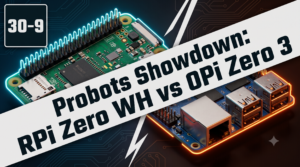
Vol. 59 | The Battle of the Bite-Sized Boards Picture a project that needs full Linux, networking, and GPIO—but has almost no room for a conventional
Read Article →